
PS鼠绘质感开关图标
摘要:先来看看教程最终的效果图:一,创建背景Createanewfile.SetWidthto1000andHeightto1000andther...
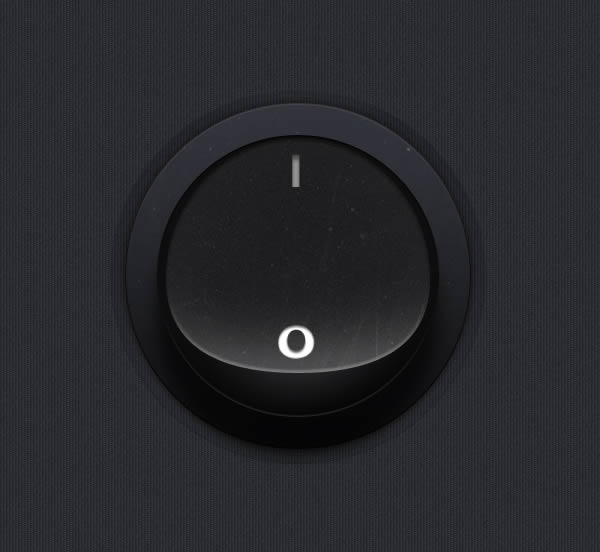
先来看看 教程最终的效果图:
一,创建背景
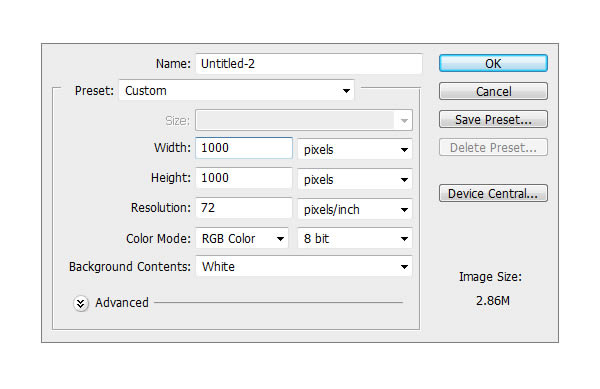
Create a new file. Set Width to 1000 and Height to 1000 and the resolution to 72 PPI.创建一个宽高1000px,72PPI的文件
二,应用背景图案
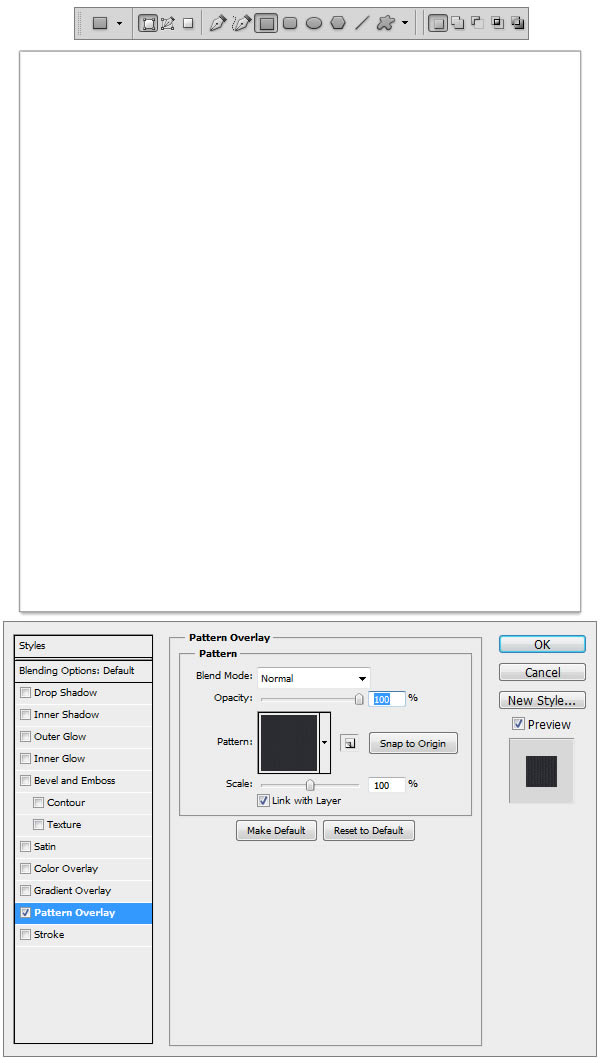
Make a new Group and name it Background. Now go to this link Vertical cloth Pattern and download this pattern and load it. Using Rectangle Tool (U) draw a rectangle shape a little bigger than the canvas, and apply the pattern as a style to the shape layer.建新组命名Background。下载Vertical cloth Pattern(素材包里有),用矩形工具画个矩形,将下载的图案应用到矩形中。
【PS鼠绘质感开关图标】相关文章:
★ PhotoShop绘制一枚有水滴的键盘按键icon图标教程
上一篇:
Photoshop打造彩色折叠光束技巧