
第一步: 先运行virtualbox,但是不要运行虚拟系统,实机插入U盘,在虚拟机的设置按照如下图:
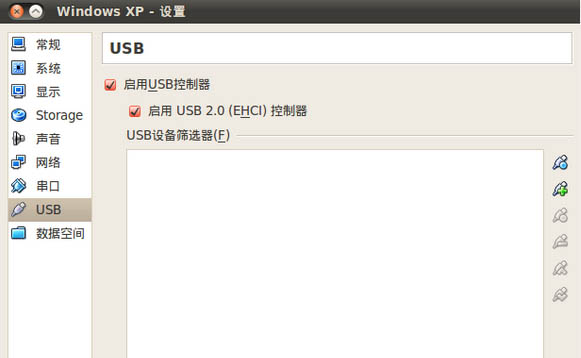
第二步: 如果碰到提示,缺少”Oracle VM VirtualBox Extension Pack”,需要先下载:https://www.virtualbox.org/wiki/Downloads ,没提示错误,可以跳过本步.
VirtualBox 4.1.4 Oracle VM VirtualBox Extension Pack All platforms
Support for USB 2.0 devices, VirtualBox RDP and PXE boot for Intel cards. See this chapter from the User Manual for an introduction to this Extension Pack. The Extension Pack binaries are released under the VirtualBox Personal Use and Evaluation License (PUEL).
Please install the extension pack with the same version as your installed version of VirtualBox! If you are using VirtualBox 4.0.14, please download the extension pack here.
如果你安装的是VirtualBox 4.1.4,直接点击”All platforms”,下载安装及可.
第三步: 如果碰到”You can change this by adding your user to the ‘vboxusers’ group.”这个错误提示:
Failed to access the USB subsystem.VirtualBox is not currently allowed to access USB devices. You can change this by adding your user to the ‘vboxusers’ group. Please see the user manual for a more detailed explanation.
将用户名添加到vboxusers组,重启或注销后即可解决.
sudo adduser usrname vboxusers
第四步: 不要拔出U盘,运行虚拟系统,在”设备”–>”分配USB设备”中,把U盘选上,然后就可以正常使用U盘了。
【巧妙设置让你的虚拟机也能使用U盘】相关文章: