
iphone6 plus怎么插卡?
摘要: 苹果6plus怎么插卡?相信很多用户对于苹果6plus怎么插卡还不太清楚,下面小编来跟大家分享一下iphone6plus插卡教程,感兴趣的...
苹果6 plus怎么插卡?相信很多用户对于苹果6 plus怎么插卡还不太清楚,下面小编来跟大家分享一下iphone6 plus插卡教程,感兴趣的可以过来看一下。
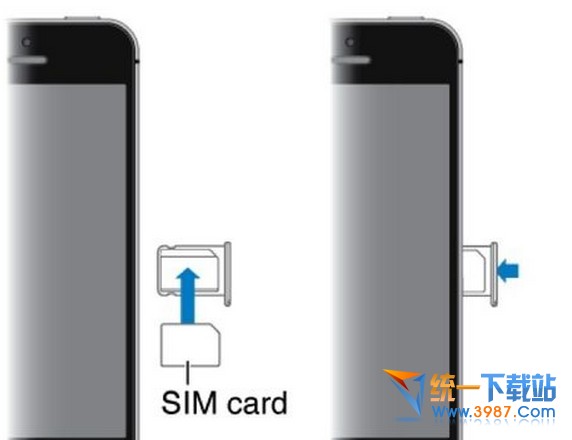
1.在苹果包装盒中找到打开卡槽的回形针

2.用回形针从手机的侧面的小孔插进去,就可以把卡槽弹出来了

3.弹出来以后,就可取下电话卡,或是根据卡槽形状把电话卡放进去。
【iphone6 plus怎么插卡?】相关文章:
★ iphone6怎么激活?iphone6 Plus激活视频及图文方法